Owner Dashboard — setup: reporting week, marketing spend, intro offers and lead sources
Owner Dashboard — setup: reporting week, marketing spend, intro offers and lead sources
Most Owner Dashboard numbers come straight from what your schools already do in SSM — payments, memberships, attendance, leads and status changes. Four small settings make the remaining numbers accurate: the reporting week, marketing spend, which packages are introductory offers, and where each lead came from.
1. Set which day your reporting week starts (company owner)
Go to Company → Localization and click the pencil to edit Regional Settings. Under Metrics week starts on choose the weekday, then Save Changes. Every reporting week on the Owner Dashboard and the Marketing tab runs 7 days from that weekday. The default is Thursday, matching the weekly sheet many clubs already use; pick Monday if you prefer calendar weeks.
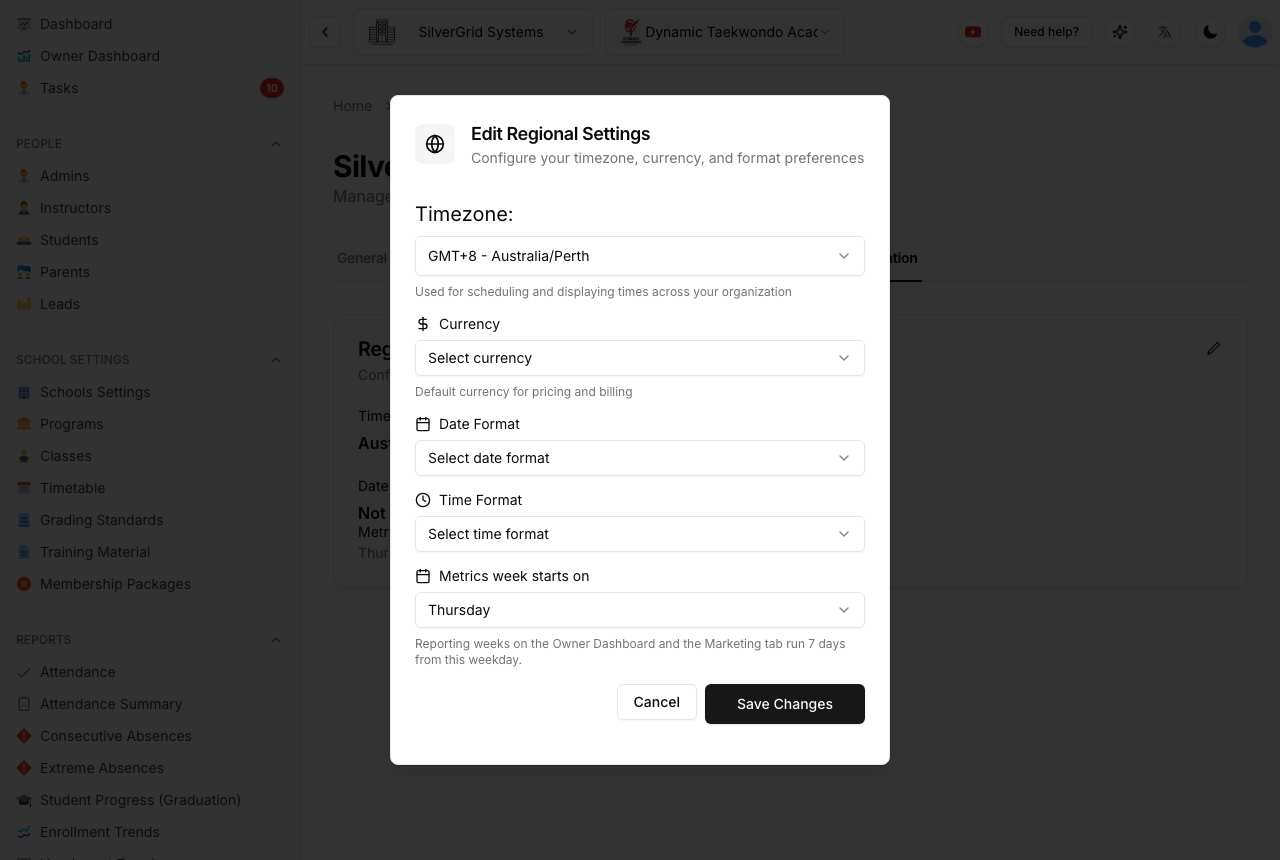
Change this once, at the start. Changing it later re-cuts the weeks, so older weekly figures will shift to the new boundaries the next time they are calculated.
2. Enter marketing spend each week (school admins or owners)
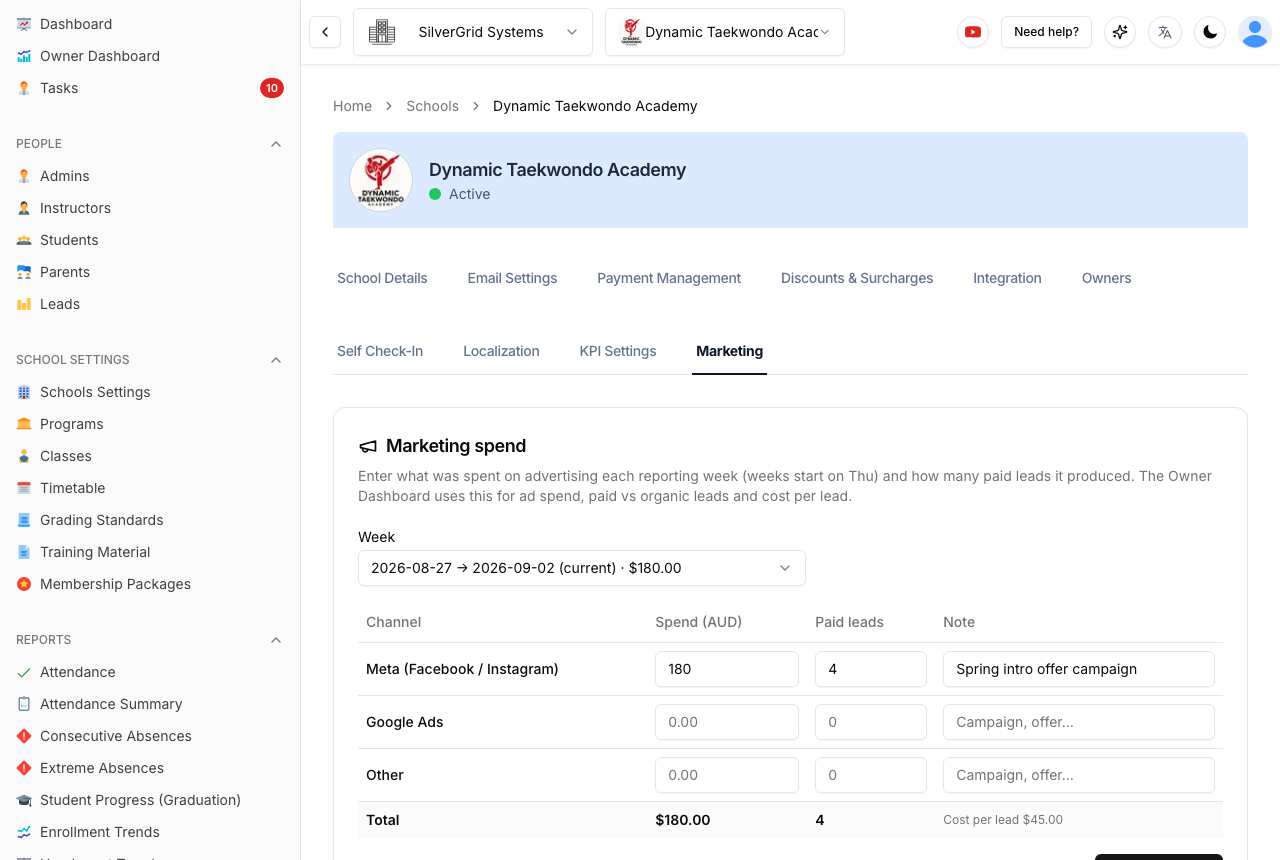
Open Schools Settings → your school → Marketing. Pick the week, then for each channel (Meta / Facebook / Instagram, Google Ads, Other) enter the amount spent, the number of paid leads it produced and an optional note (campaign name, offer). Click Save week.
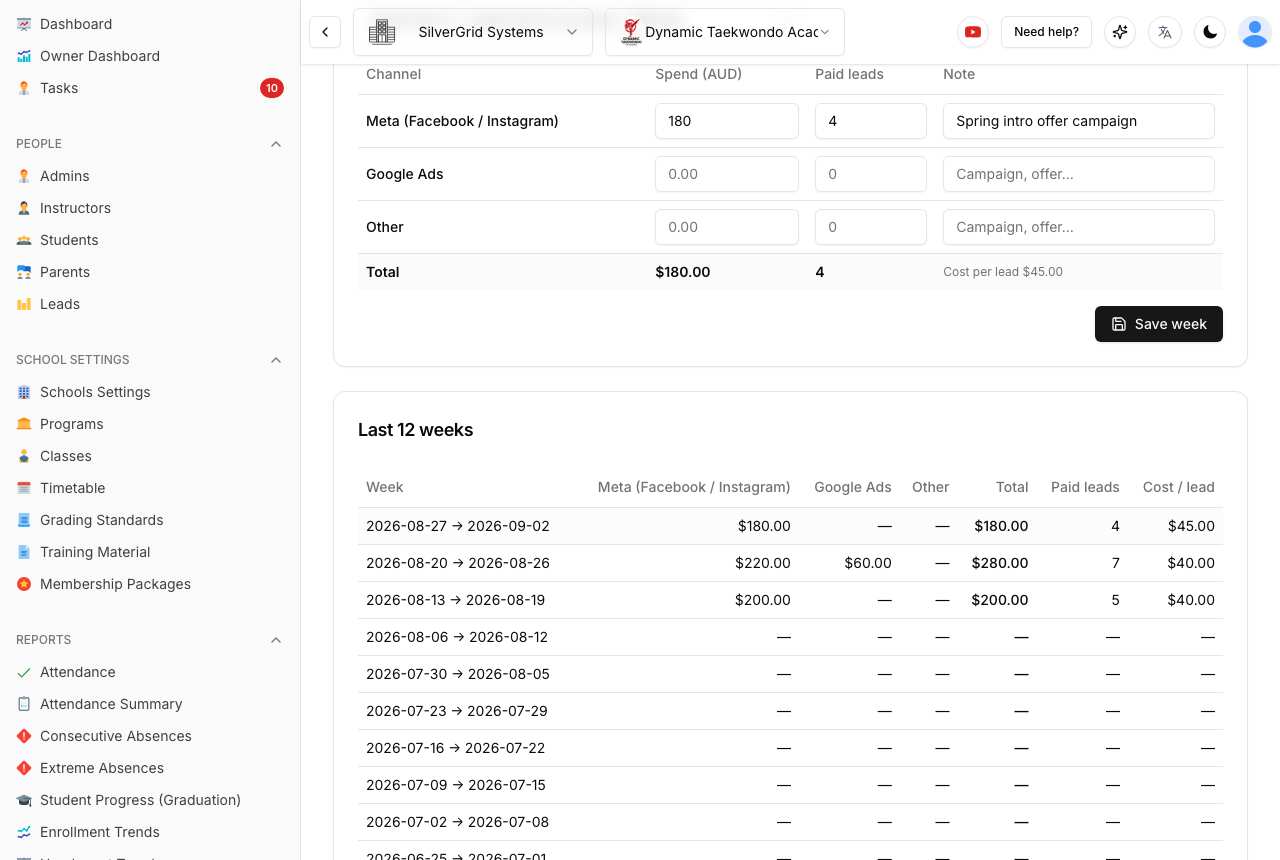
The table below the form shows the last 12 weeks with the cost per lead already worked out. Click a week in the table to edit it. Every save is recorded in the school's activity log, and the Owner Dashboard updates that week immediately.
Paid leads entered here are used as the "paid" lead count for that week. Leads recorded in SSM with a paid source (see step 4) are used when this box is left at 0.
3. Mark introductory / trial packages
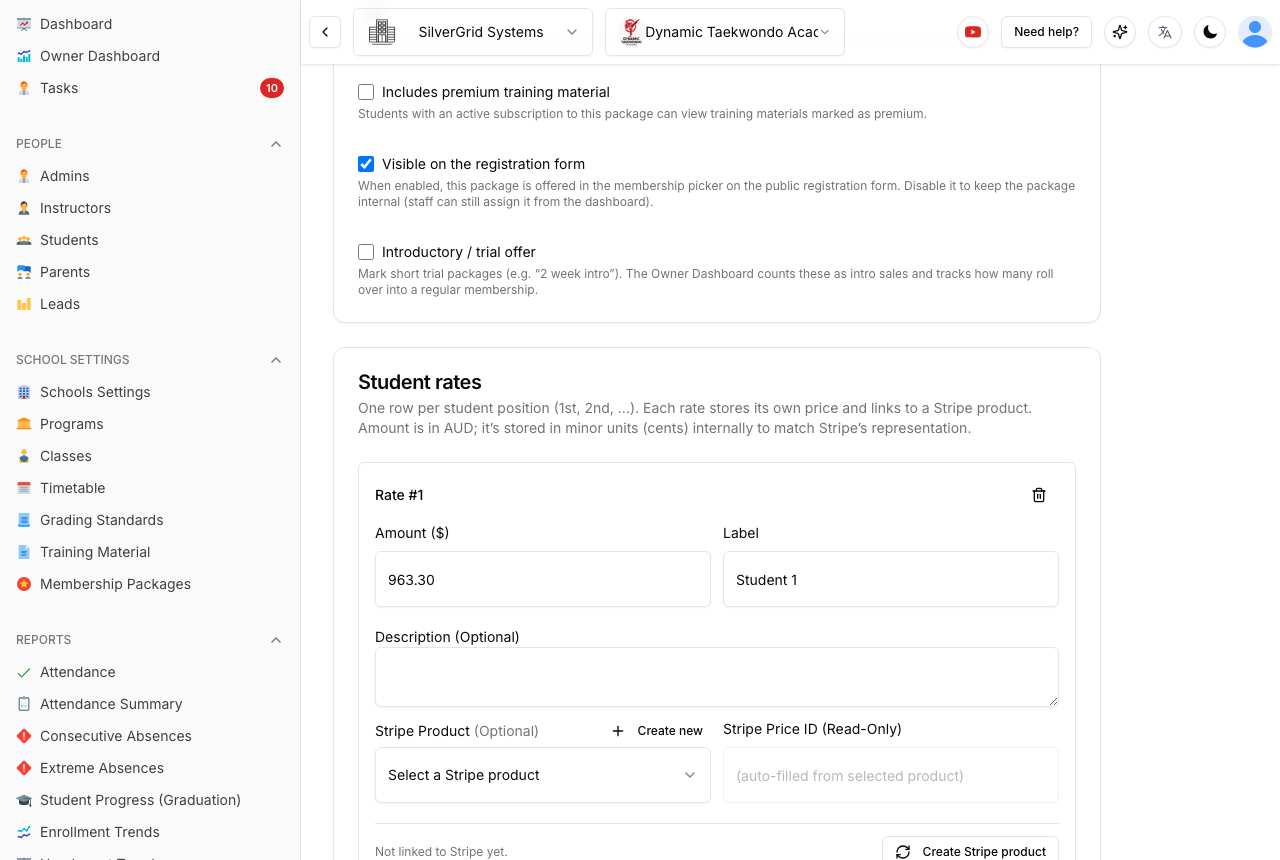
Open Membership Packages, edit the package and tick Introductory / trial offer. Sign-ups to these packages count as Intro + pack sales, and the dashboard tracks how many of them roll over into a regular membership — the Rollover % KPI. One-off (single payment) packages were flagged automatically; check any others you use as trials.
4. Record where leads come from
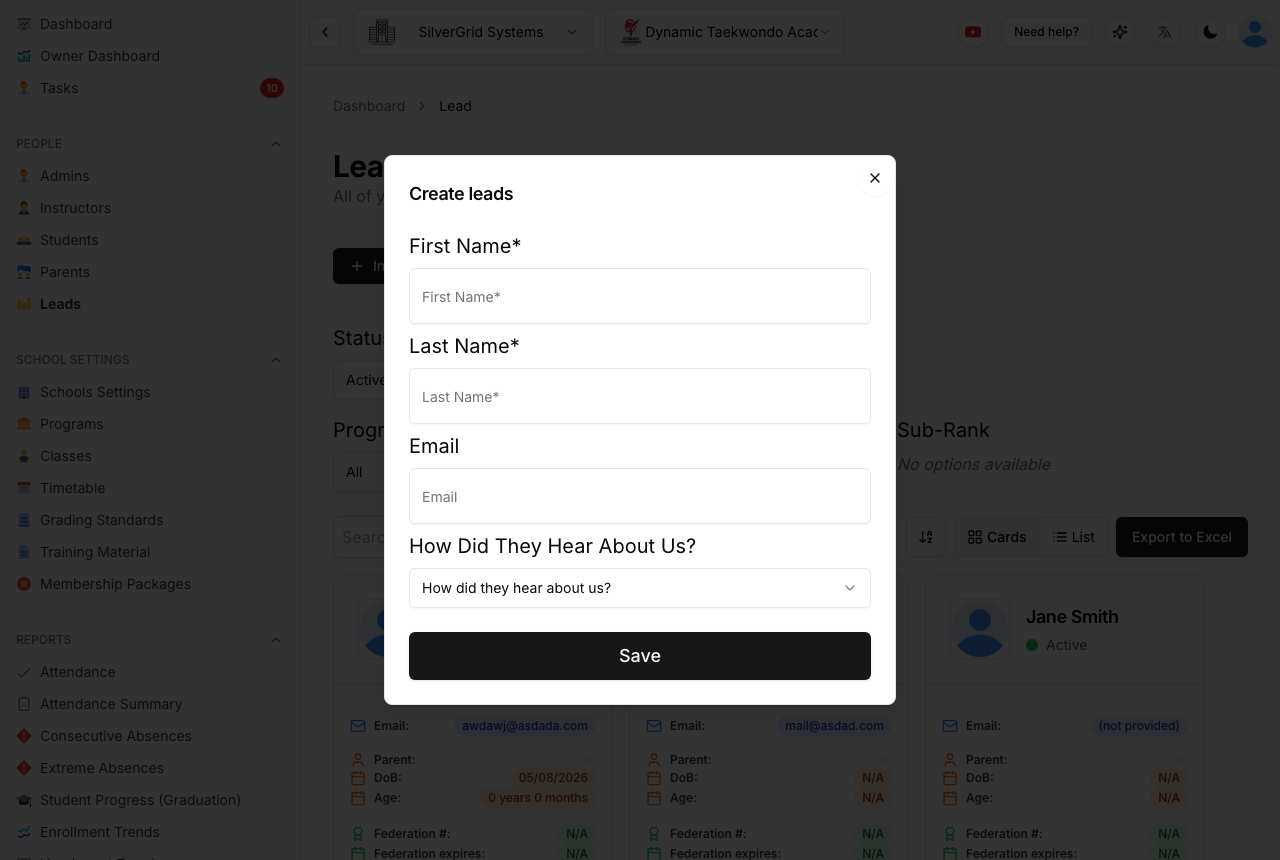
When you add a lead (Leads → Invite leads) choose How did they hear about us? — organic, referral, walk-in, or a paid Meta / Google / other ad. Paid sources count towards paid leads and cost per lead; everything else is organic.
Public enquiry forms set the source automatically from the link: add ?src=meta to the link you use in Facebook or Instagram ads and ?src=google to Google ads, and those enquiries arrive as paid leads with no extra work.
Related articles
- Owner Dashboard — see every school's weekly numbers in one place
- Owner Dashboard — what each number means, and exporting to Excel
Learn more at www.sportsschoolmanager.com · More video tutorials on our YouTube channel.