Membership package examples: one-off, weekly, monthly, yearly
Membership package examples: one-off, weekly, monthly, yearly
The Frequency you choose decides how a package is billed. This article shows one finished example for each type, exactly as it looks in the package form, and what happens after you assign it to a student. If you have not created a package before, start with How to create a school membership package.
| Type | Billed | Typical use | What Sports School Manager does |
|---|---|---|---|
| One Time | Once | Intro offers, trial weeks, class passes, holiday camps, grading fees | Creates one invoice. Never renews. Can expire after Valid for (days). |
| Weekly | Every week (or every N weeks) | Pay-as-you-train clubs, direct-debit style memberships | Creates an invoice (or Stripe charge) each period until the membership is paused or ended. |
| Monthly | Every month (or every N months) | The most common membership; also 3- or 6-month terms via Every | Same as weekly, on a monthly cycle. |
| Yearly | Every year (or every N years) | Annual memberships, federation or insurance fees | Same, on a yearly cycle. |
For all recurring types the Next payment date on the student's membership is the day the next invoice is created. On a Stripe school the charge goes to the saved card automatically; on a manual school the invoice appears under the student's Invoices tab for you to collect.
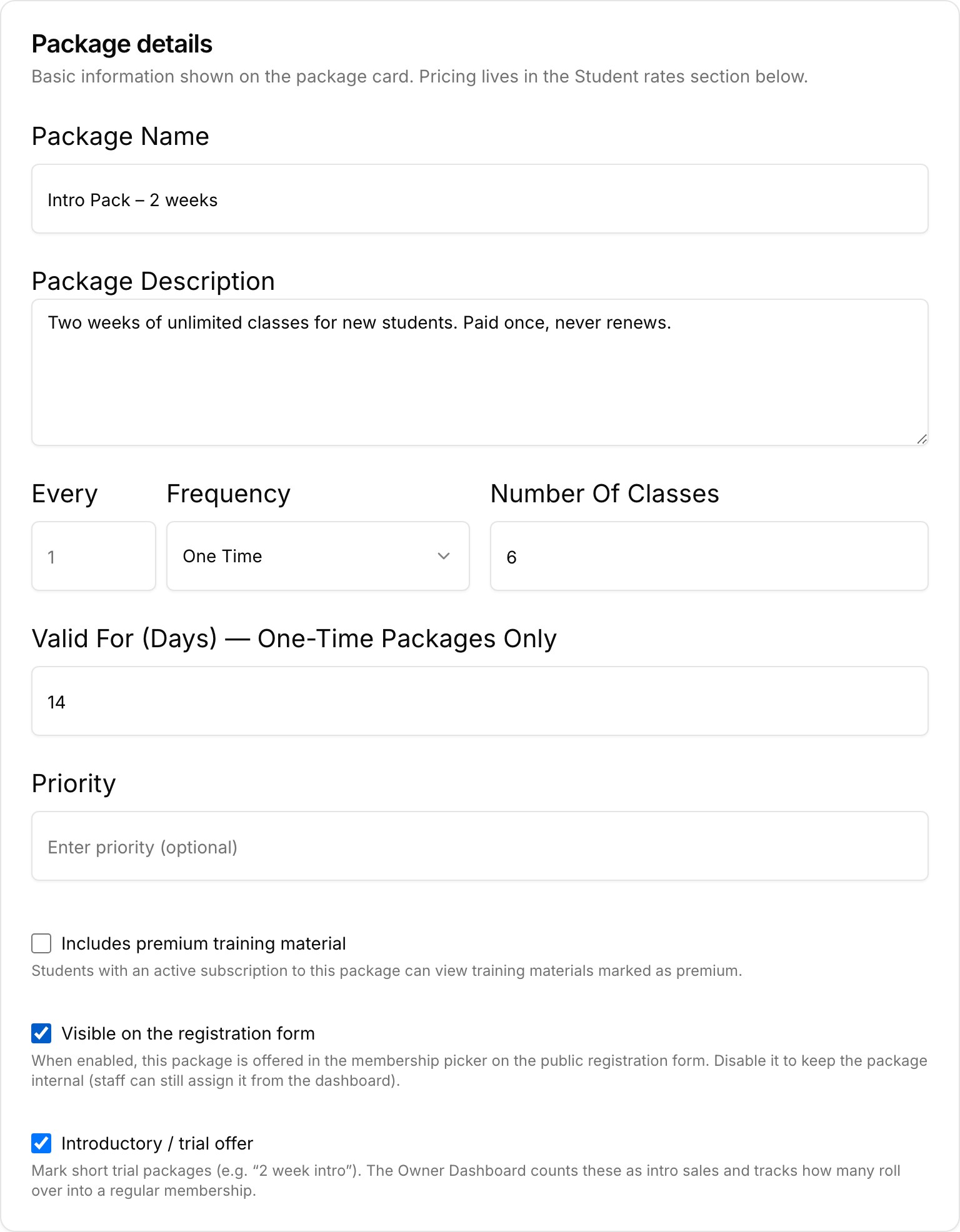
Example 1 — One-time: "Intro Pack – 2 weeks"
A trial for new students: two weeks of classes for $49, paid once.
- Frequency: One Time (the Every field is ignored).
- Number Of Classes: 6 — what the pack includes.
- Valid For (Days): 14 — the membership expires two weeks after it starts.
- Introductory / trial offer: ticked, so the Owner Dashboard reports it as an intro sale and follows whether the student rolls over to a regular membership.
One rate is enough: $49, labelled Intro.
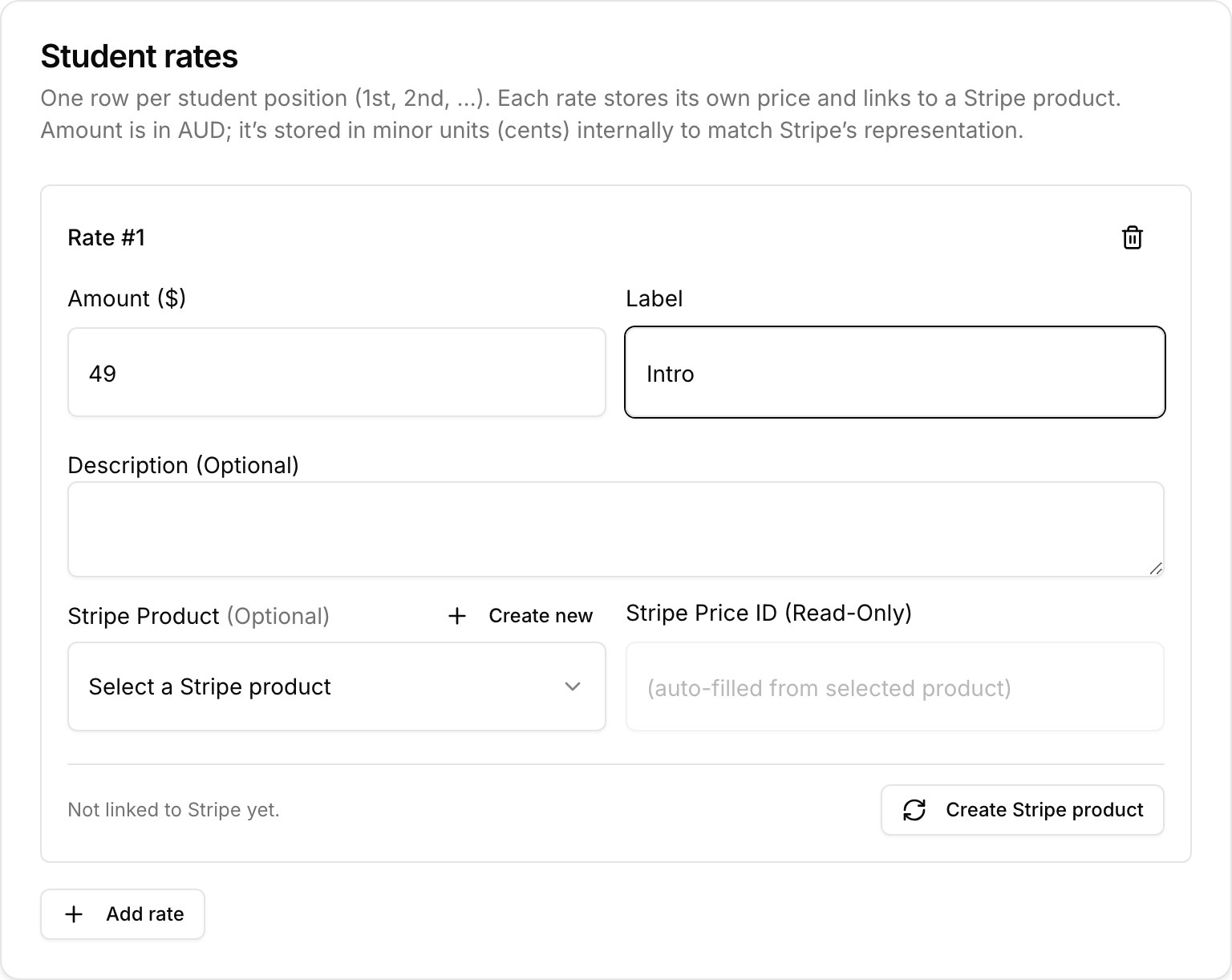
When you assign it, the student gets a single invoice for $49 and an expiry date 14 days after the start date. How that invoice is collected (cash, bank transfer or Stripe) is covered in One-time memberships (intro offers, class packs).
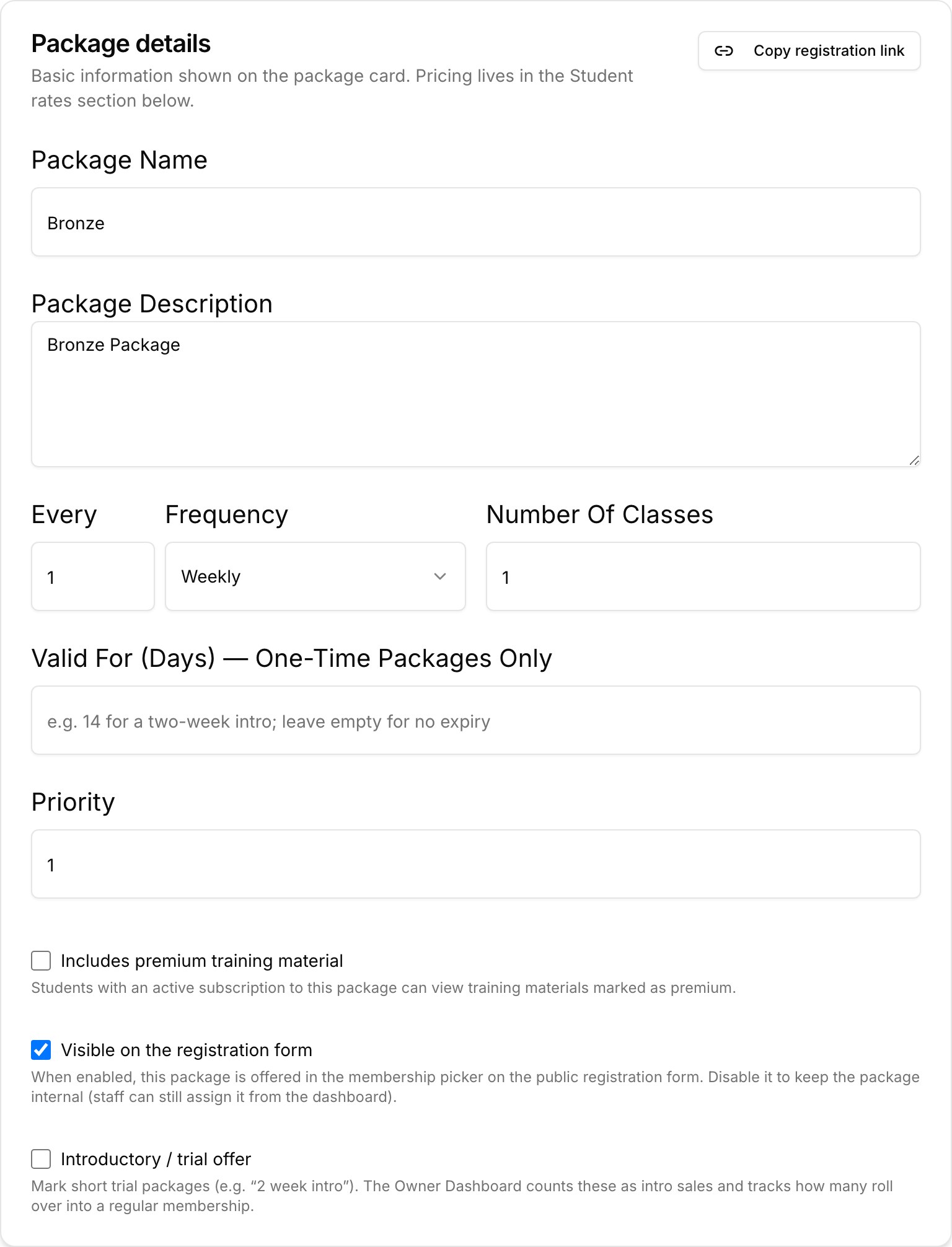
Example 2 — Weekly: "Bronze"
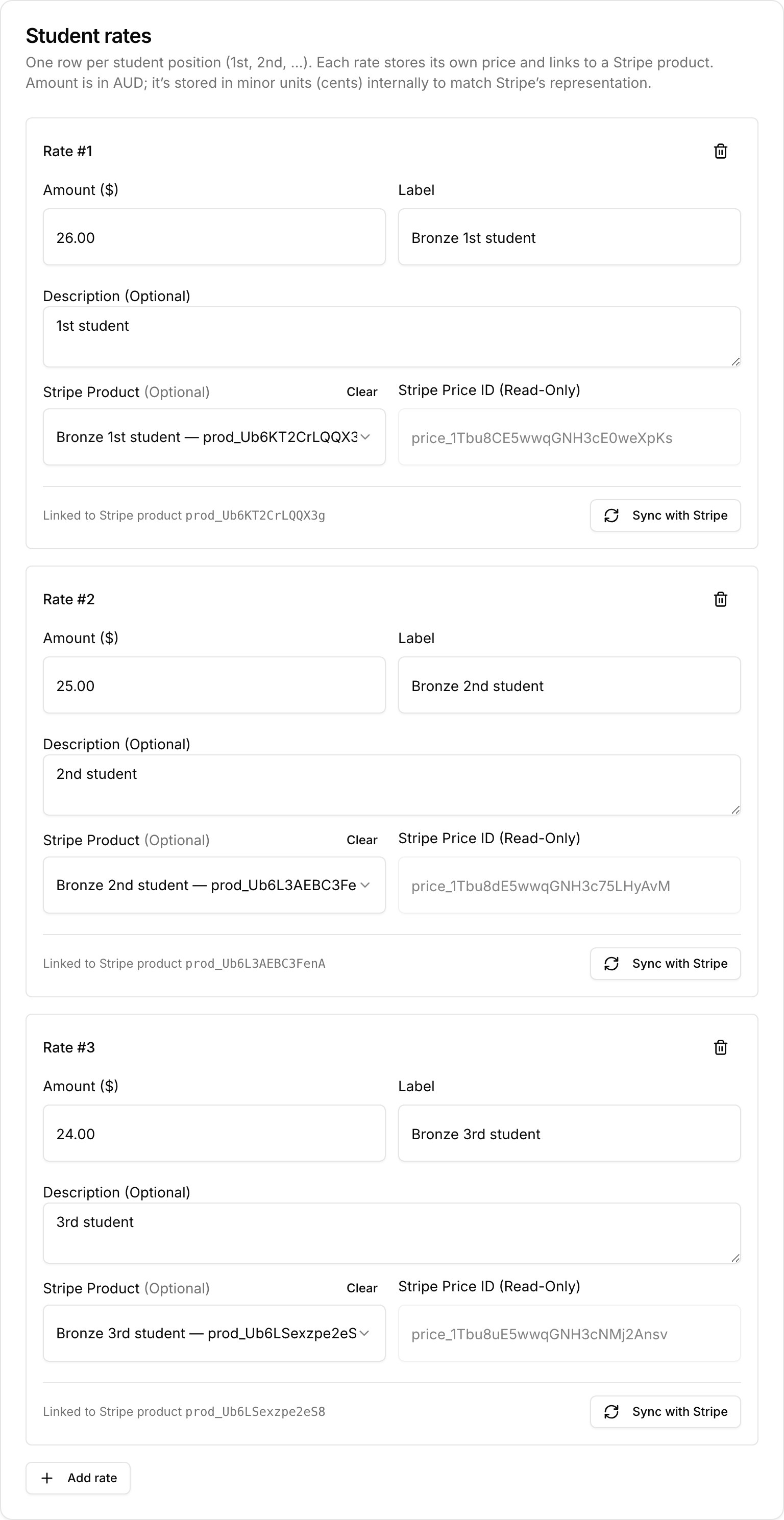
A weekly membership with one class a week and family pricing: $26 for the first child, $25 for the second, $24 for the third.
- Every 1 · Weekly — billed every week. For a fortnightly plan enter Every 2.
- Number Of Classes: 1.
- Priority: 1, so Bronze is listed before Silver and Gold.
Three rates, one per family position. This school uses Stripe, so each rate is also linked to its own Stripe product and price:
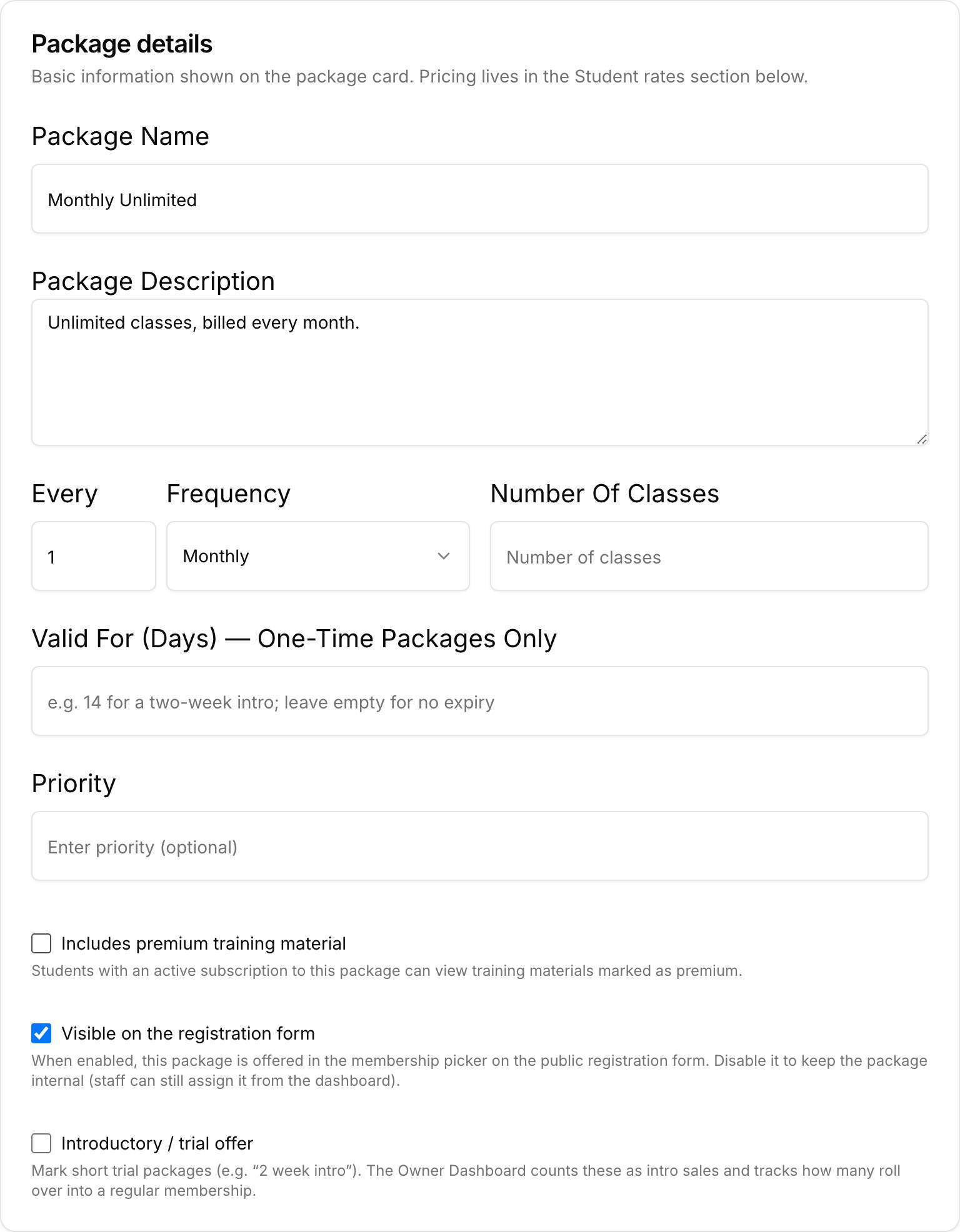
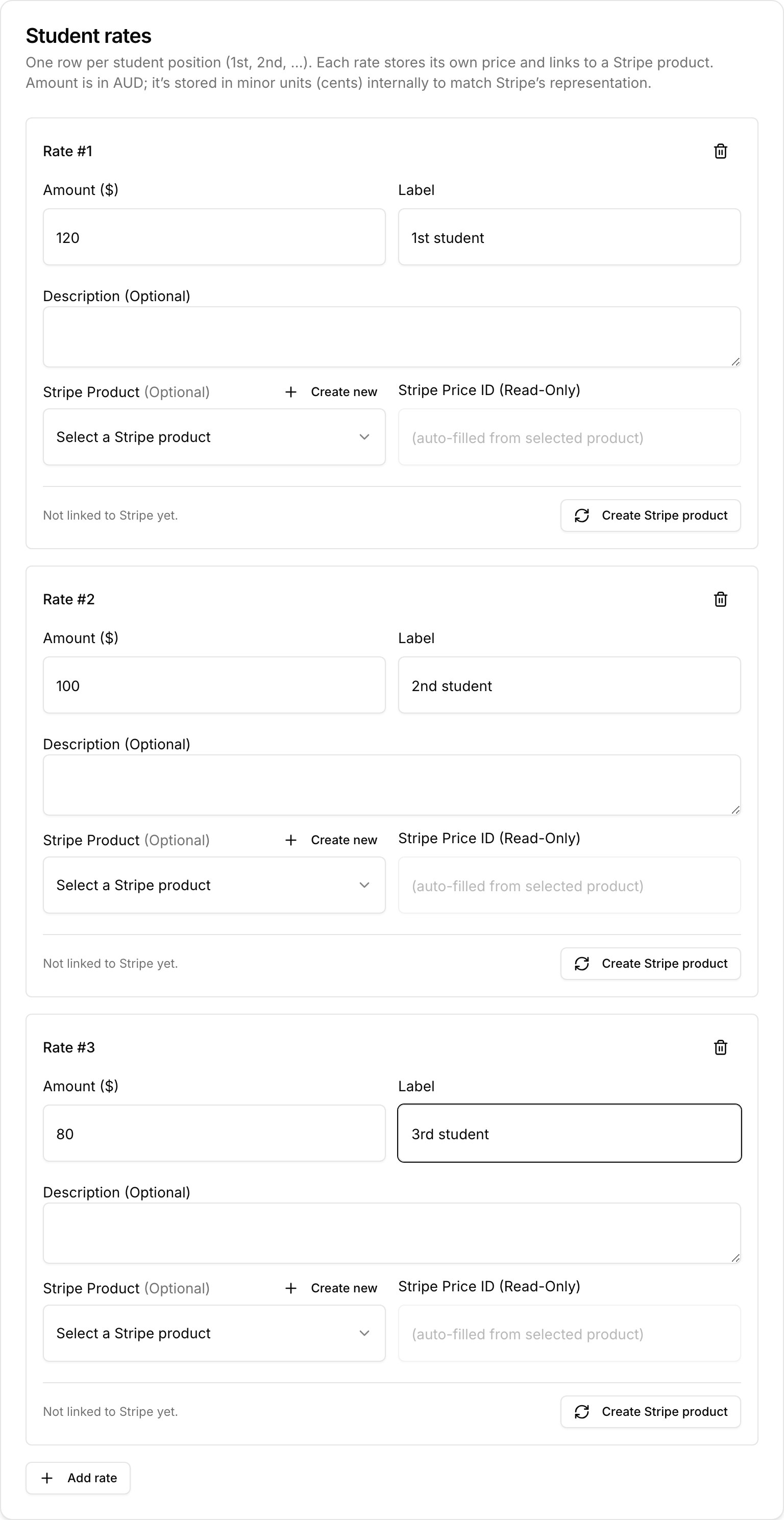
Example 3 — Monthly: "Monthly Unlimited"
Unlimited classes for $120 a month, with a family discount: $100 for the second child and $80 for the third.
- Every 1 · Monthly — billed every month.
- Number Of Classes: left empty, because it is unlimited.
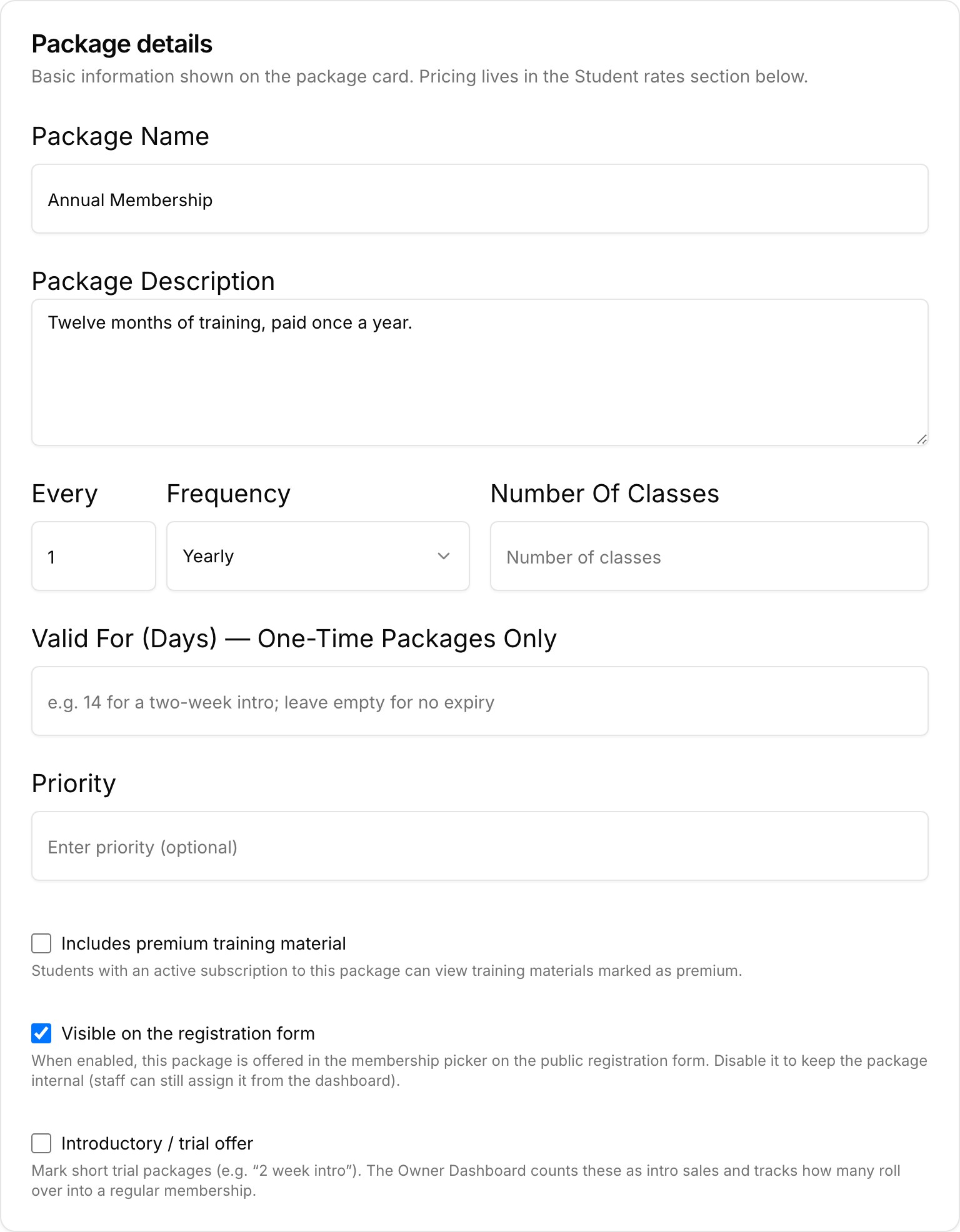
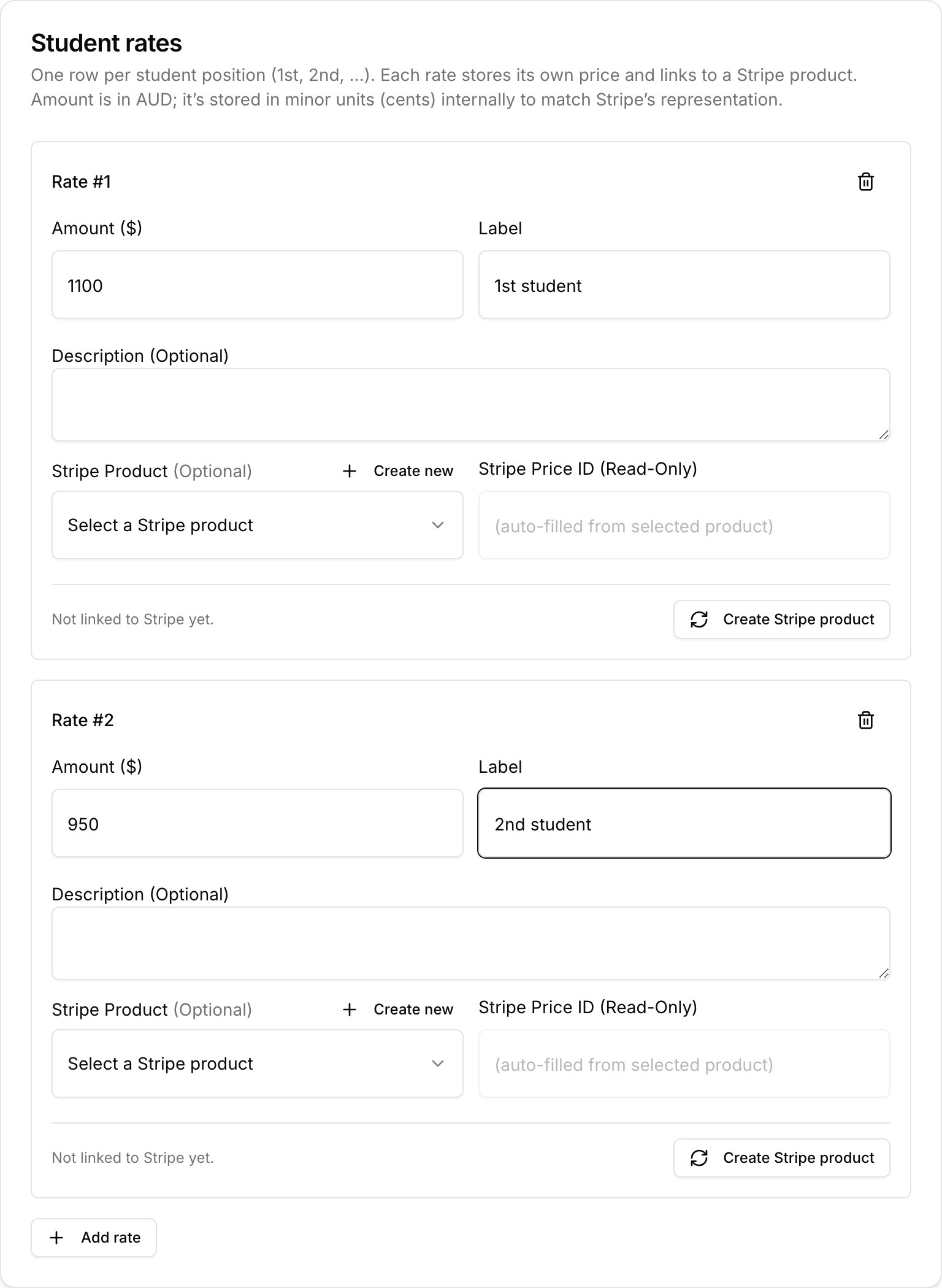
Example 4 — Yearly: "Annual Membership"
Twelve months of training paid up front: $1,100 for the first child, $950 for the second.
- Every 1 · Yearly — one invoice a year, on the anniversary of the start date.
Example 5 — A six-month term with "Every"
Terms that are longer than a month but shorter than a year use the Every field. This package is Every 6 · Monthly: one invoice every six months.
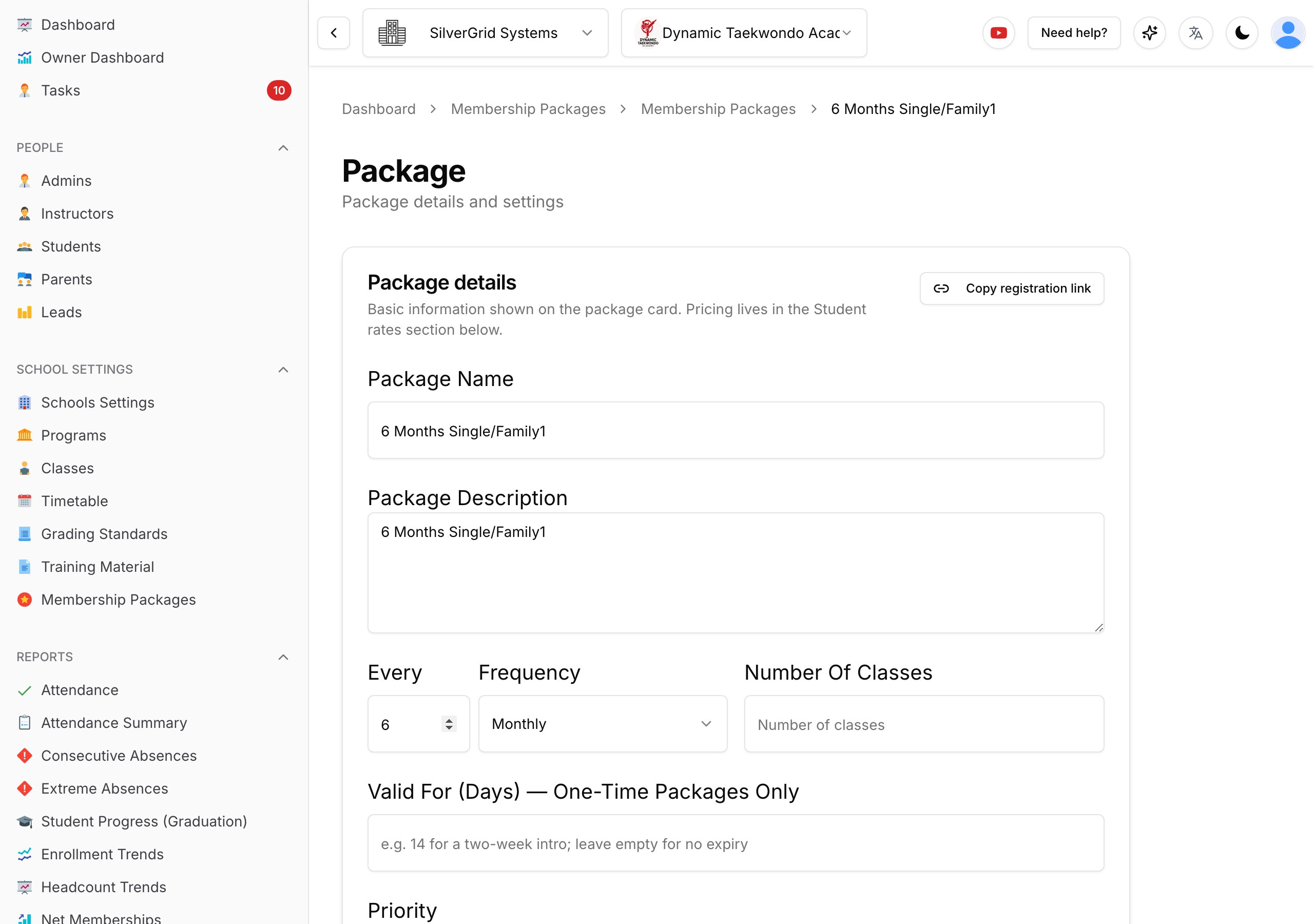
Every has limits that match Stripe's: up to 52 for Weekly, 12 for Monthly and 3 for Yearly. For a one-time package it is ignored.
Which type should I pick?
- Trial, pass or camp that is paid once → One Time, with Valid for (days) if it should expire.
- Ongoing training → Weekly or Monthly, whichever matches how your families prefer to pay. Monthly means fewer invoices; weekly means smaller amounts.
- Term or season → Monthly with Every 3 or Every 6.
- Paid once a year (annual plans, federation or insurance fees) → Yearly.
Learn more at www.sportsschoolmanager.com · More video tutorials on our YouTube channel.