How to add an admin
How to add an admin
Admins help you run your school — they can manage students, classes, attendance, communication and more, depending on the permissions you give their role. This guide shows how to invite a new school admin. You can follow the written steps below or watch the video walkthrough.
Video walkthrough
▶ Watch “How to Add a New Admin” on YouTube
Before you start
- Sign in to app.sportsschoolmanager.com as the company owner or an admin with permission to manage admins.
- Make sure the correct company and school are selected at the top of the page — the new admin is added to the school that is currently selected.
Step 1 — Open the Admins page
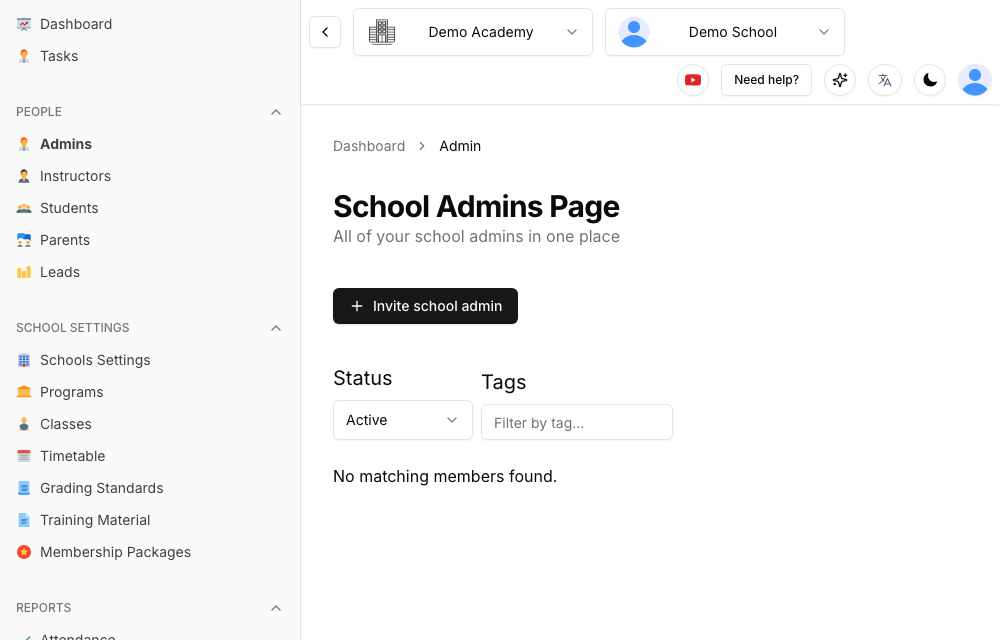
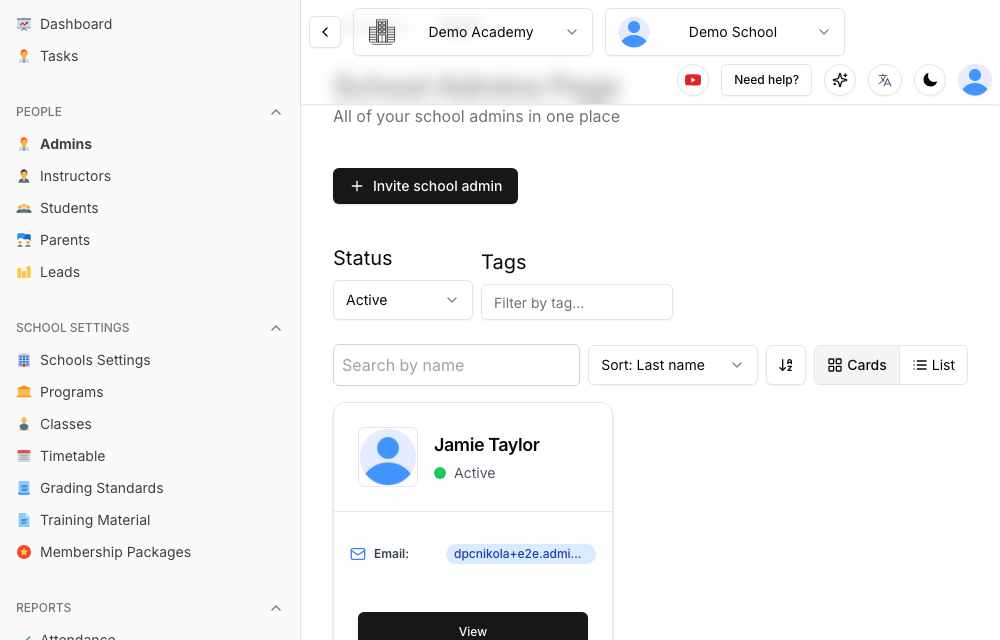
In the left sidebar, under People, click Admins. The School Admins Page lists everyone who currently administers the selected school.
Step 2 — Click “Invite school admin”
Click the + Invite school admin button. A short form opens.
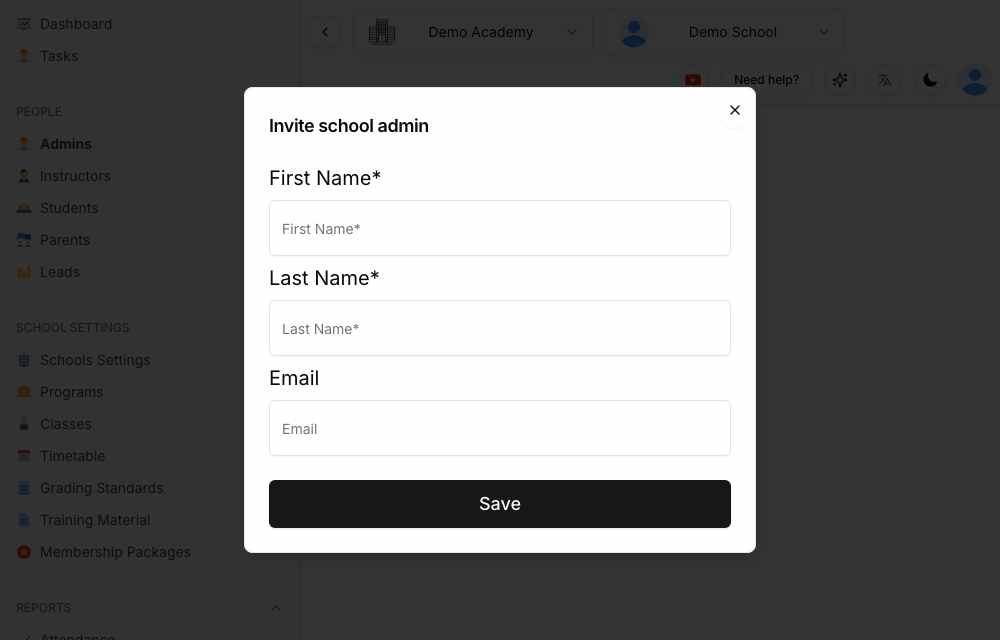
Step 3 — Enter the admin’s details
- First Name (required)
- Last Name (required)
- Email — the address the admin will use to sign in. Enter it now so they receive their welcome email and can log in straight away.
Step 4 — Save
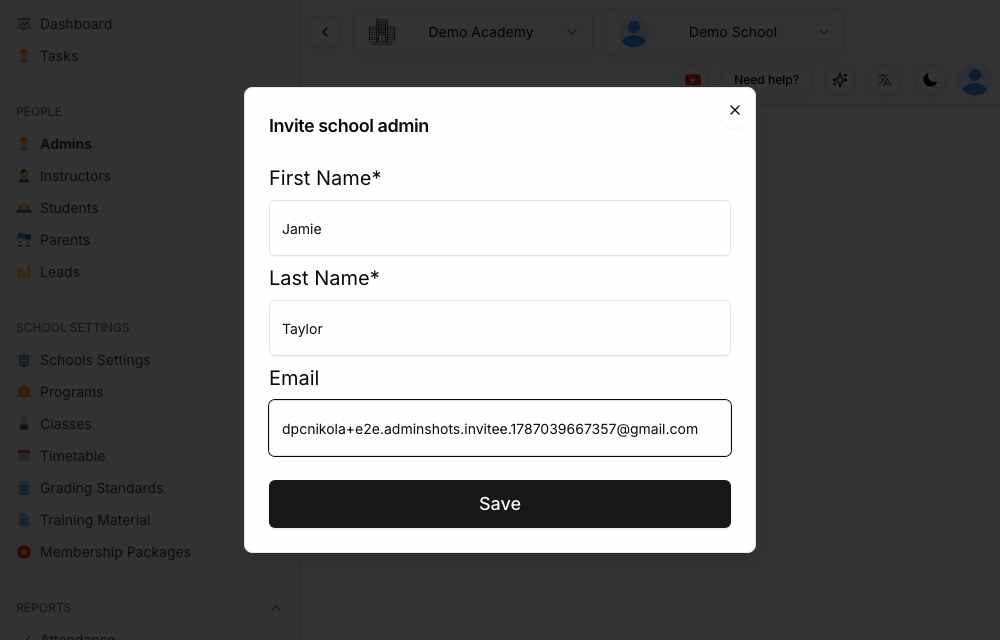
Click Save. The admin is created and appears in the list. If you entered an email address, they receive a “Welcome to Sport School Manager Platform!” email with a link to the app.
Step 5 — How the new admin signs in
The new admin goes to app.sportsschoolmanager.com and signs in with the same email address you entered — either with Login with Email (a magic link is sent to their inbox) or Continue with Google if that address is a Google account. No password is needed. On first sign-in they land directly in your school.
Managing your admins
- Search — use the Search by name box to find an admin by name or email.
- Status filter — switch between Active and Inactive admins.
- View — open an admin’s profile to edit details, contact info, or deactivate them.
- Permissions — what an admin can see and do is controlled by their role. To adjust it, see the Manage roles guide.
Learn more at www.sportsschoolmanager.com · More video tutorials on our YouTube channel.